Blog

Best AI Music Genre Changer - Convert Any Song Genre Instantly

create ai song now

InsMelo - Turn Your Ideas into Music

Create AI Song Now

AI Music Genre Changer: Change Music Genre with AI Online Free

Learn how to change music genres with AI. Use a free online AI music genre changer to convert any song into LoFi, Jazz, EDM, and more, fast and easy.

The path to reimagining a track used to demand deep technical mastery and expensive studio hours. Today, AI music genre changer provides the power to transform any song into a new style through a few simple steps. By using AI to change music genres, you gain access to endless creative possibilities in seconds. Our guide explores the top tools and practical methods to get the most out of every conversion.
ai music genre changer

How AI Music Genre Changer Works

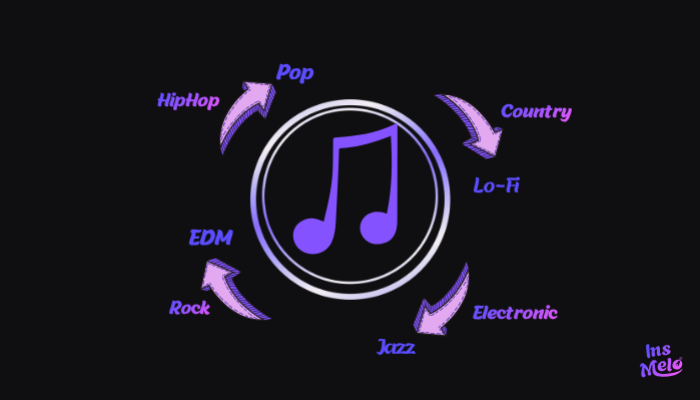
AI music genre changer is useful when you want to change a song into a different musical style while keeping the same core idea of the track. Research from MIDiA Research shows that more than 60% of digital creators now rely on AI tools in their audio or music workflow, reflecting the rapid shift toward AI-assisted music creation. This trend is often used for testing different musical directions from the same lyrics, where a single idea can be transformed into multiple styles through a change music genre AI workflow, such as:

  • Pop to LoFi
  • Rock to Jazz
  • EDM to Piano

Each variation creates a different mood and listening experience, making it easier to explore creative directions quickly. After that, the next step is choosing a suitable tool and generating the final version of the track.

In our test, converting a pop track into LoFi took about 90 seconds, and the result preserved the vocal clarity while naturally softening the drum patterns. This demonstrates how AI music genre changer tools can maintain the core identity of a song while adapting it to a completely new style.

Original song - Country style

00:00/00:00

Song changed - Pop style

00:00/00:00

Best Free AI Music Genre Changer You Should Try

Reliable music genre changer AI solutions are often difficult to find due to the vast number of options available online. The following list features four distinct tools capable of high-quality style transformation. Each AI song genre changer offers unique strengths, so the best choice depends on your specific creative goals and technical needs.

InsMelo - Best All-in-one Generator

InsMelo AI music generator provides an all-in-one platform that works as an AI music genre changer for social media creators. It focuses on turning written lyrics into fully produced songs in different musical styles, allowing users to create music by selecting a preferred genre such as Pop, LoFi, EDM, or Jazz.
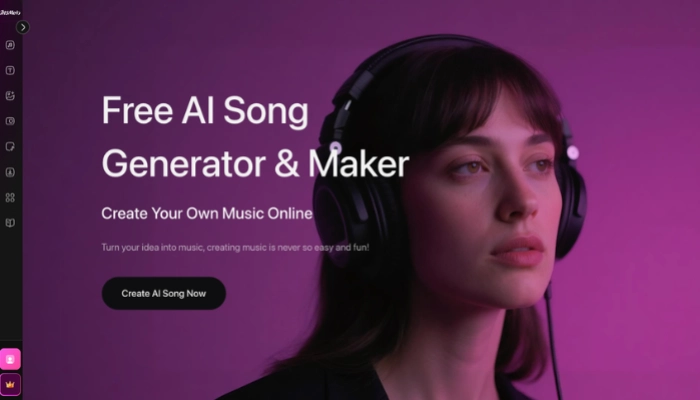
change genre of song ai

With this AI music genre changer, users start from their lyrics and apply a simple process that transforms them into a complete song in the chosen style. The workflow follows four clear stages, making it easy to move from idea to a finished track in a different musical genre.

How to Change Music Genre with AI (Step-by-Step Guide)
Step 1Input Your Original Lyrics

Enter your original lyrics directly into the text box (up to 3000 characters). For those who need inspiration, the "AI Lyrics" button generates unique verses based on your initial ideas.

Create Music Now

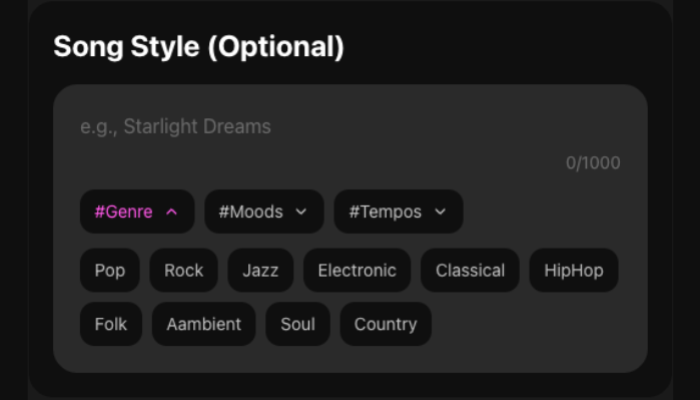
Step 2Customize Your Target Style

You can manually enter a style or use the tag filters for Genre, Moods, and Tempos to change song genre AI options to something specific like "High-energy Rock" or "Chill Lofi."

ai music change genre

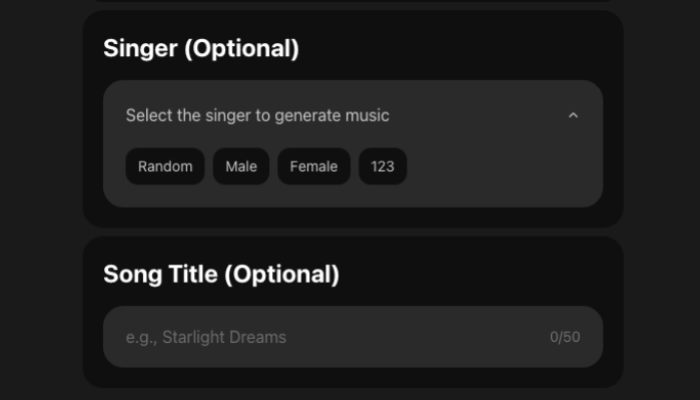
Step 3Select a Singer and Title

Choose a vocal profile in the "Singer" area to match your new direction, like Male, Female, or Random selections. At the same time, you can also add a song title in the "Song Name" field to match your new song genre.

change the genre of a song ai

Step 4Generate and Download

Hit the "Create" button to start composition process. After that, review the result to see if it aligns with your vision. If the music meets your standards, download the final file in MP3 or WAV format.

Editor's Note

During my testing of the v6.0 engine, I found that combining genre tags with emotional descriptors, like pairing #Jazz with #RainyNight, produced much richer instrumental textures than using a single tag alone. This simple adjustment helped the AI avoid generic loops and created a more professional, "studio-recorded" feel.


Key Features

star icon
High-Fidelity v6.0 Engine: InsMelo operates on an advanced v6.0 generation model, which provides a significant leap in audio quality.
star icon
100% Royalty-Free Commercial Usage: Every song you generate is yours to use, share, and monetize on any platform without copyright worries.
star icon
Rapid Multi-Format Export: This tool completes the full composition, arrangement, and mixing process in under two minutes. Once the generation is finished, you can export your work in high-quality MP3 or WAV formats.
star icon
Smart AI Lyrics Assistance: For those who face creative hurdles, the built-in "AI Lyrics" generator provides immediate inspiration. This feature expands a simple concept into a 3,000-character set of professional verses.
star icon
Advanced Multi-Tag Style Control: You can select specific tags for #Genre, #Moods, and #Tempos to change song genre AI results with extreme accuracy.
success icon

Pros

Skip music theory or studio skills with a simple workflow.

Create multi-genre tracks from lyrics in just a few minutes.

Use #Genre, #Moods, and #Tempos tags for precise atmospheric control.

Produce studio-quality vocals with the advanced v6.0 high-fidelity engine.

Maintain consistent styles to expand a single theme into a full library.

Turn short ideas into professional verses with the smart lyrics assistant.

error icon

Cons

Access to the premium v6.0 engine demands an active paid subscription.

TopMediai - Best for Audio Restyling

TopMediai offers a versatile platform that serves as a professional ai music genre changer through advanced Restyle technology. This tool focuses on reimagining existing tracks to help you change music genre tasks while maintaining the original rhythm and soul.
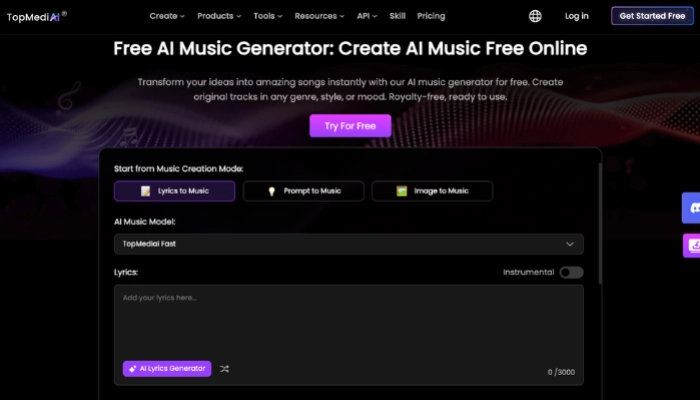
ai music style changer

Key Features

star icon
Provides over 200+ song styles, including pop, LoFi, EDM, rock, country, and more.
star icon
Can upload audio and recreate songs in a new genre.
star icon
Allows mood, tempo, and instrument customization for more precise control.
star icon
Change the lyrics of a song without changing a song's structure.
star icon
Royalty-free for commercial use.
success icon

Pros

Easy to use with no music skills required.

Fast generation and flexible input options.

Wide genre selection with high-quality results.

Extend your song or apply its style to new tracks.

Supports instrumental-only mode for background music.

error icon

Cons

Online features require stable connectivity.

Tunesona - Best for Advanced Control

Tunesona acts as a collaborative AI music agent that delivers precision through conversational AI music style transfer. This tool prioritizes interactive refinement to help you change music genre settings by describing specific sonic textures and emotional layers in a chat-like environment.
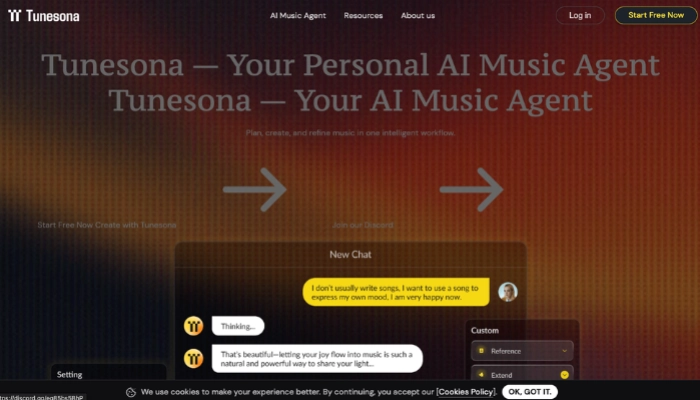
ai genre changer

Key Features

star icon
Use a natural chat interface to change song genre AI results via simple dialogue.
star icon
Refine tracks over multiple turns using Multi-Turn AI Memory that retains context.
star icon
Input specific modification requests mid-process to adjust elements like drums or guitars.
star icon
Generate two distinct versions for every request to provide immediate choice.
star icon
Access a complete creative history to revisit or pivot existing projects at any time.
success icon

Pros

Superior creative control via natural dialogue instead of limited preset menus.

High-fidelity audio outputs suitable for official streaming and storytelling.

Infinite refinement options to tweak the sound until it meets your vision.

Low entry barrier with free credits available for initial experiments.

error icon

Cons

Dialogue-based refinement requires more time than instant one-click tools.

Boomy - Best for Beginners

Boomy provides an automated production ecosystem designed as an instant AI music genre changer for social media distribution. This tool focuses on speed and monetization to help you change music genre settings and release tracks to global platforms.
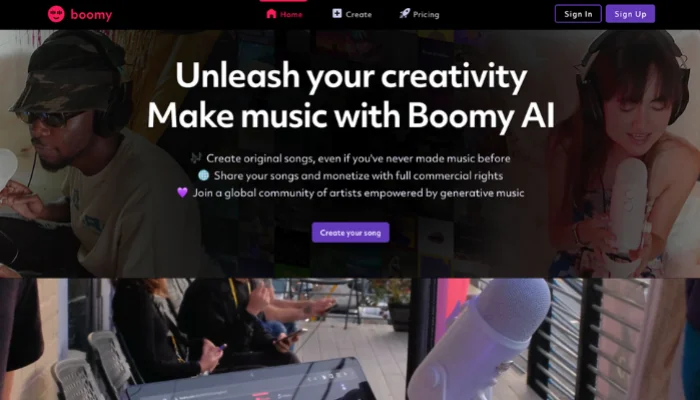
ai music genre changer free

Key Features

star icon
Use Direct DSP Distribution to send tracks directly to Spotify and Apple Music.
star icon
Execute instant style swaps using a library of one-click genre templates.
star icon
Adjust rhythmic energy and drum kits manually after the initial generation.
star icon
Re-style specific song sections without regenerating the entire track via inpainting.
star icon
Structure songs into radio-friendly formats automatically with Adaptive Song Sequencing.
success icon

Pros

Fastest path to produce radio-ready instrumental tracks for non-musicians.

Optimized mobile performance for creating and managing tracks on any device.

Massive community library for instant inspiration and stylistic experiments.

error icon

Cons

Platform-centric ownership models on basic tiers limit full commercial rights.

Tips to Make Your AI Music Sound Better

After exploring various tools and stylistic possibilities, the next step is to maximize the quality of your output. When you use AI to change the style of a song, applying specific strategic techniques can transform a basic style swap into a professional-grade production.

Start with High-Quality Source Material

When using an AI change music genre tool, ensure your uploaded audio is clean and free of background noise to help the system analyze the rhythmic structure more accurately.

Define the Atmosphere with Specific Tags

Instead of general terms, use focused tags like #LoFi, #Dark, or #120BPM within the AI genre changer to give the engine a concrete stylistic roadmap.

Isolate Tracks for Cleaner Transfers

Use an Integrated Stem Splitter to isolate vocals before starting the AI music style transfer process, allowing the new genre's instruments to wrap around the voice naturally.

Fine-Tune in a Professional DAW

Download MIDI or WAV files from the AI music genre change platform to perform final mixing, EQ adjustments, and professional mastering in your preferred software.

Bonus: What If Taylor Swift Sang This? Mastering InsMelo AI Cover Song Generator

Besides changing the style of the song, you can also try using the voices of celebrities like Taylor Swift to cover your song. Combining iconic vocal textures with your custom arrangements adds a unique layer of personality and professional polish to your music. Using the InsMelo AI song cover generator free makes this process seamless, allowing you to reimagine any track with world-class vocal profiles.
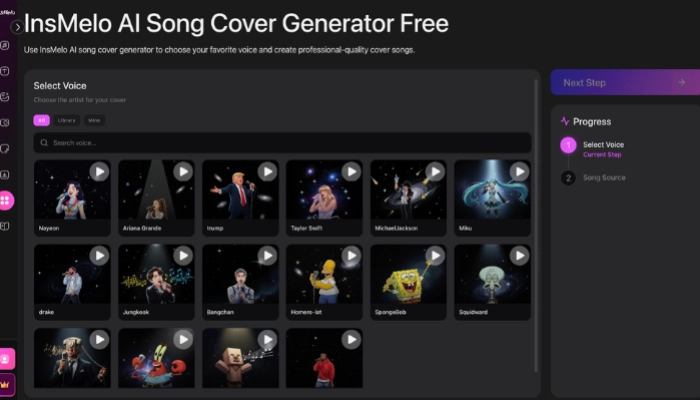
insmelo ai song cover generator

How to Create Your First AI Song Cover with InsMelo
Step 1Select Your AI Voice

In the Select Voice panel, browse a vast library of iconic artists, including Taylor Swift, Ariana Grande, and Michael Jackson. You can also explore categories like Library or Mine to quickly access custom-saved voices.

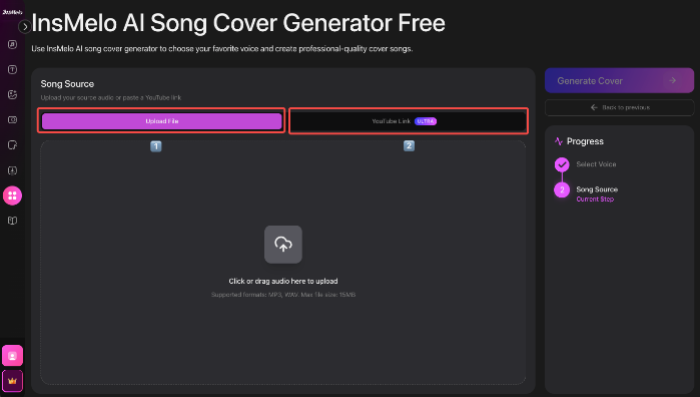
Step 2Provide Your Song Source

In the Song Source section, you have two ways to provide your audio:

- Upload File: Drag and drop your audio file (MP3/WAV, max 15MB) into the upload area.

- YouTube Link (Ultra): Paste a YouTube URL directly to use as the base for your cover.

free ai song cover

Step 3Generate and Refine

Click Generate Cover to start the transformation. The tool will map the celebrity's vocal characteristics onto your song, creating a professional-quality cover in minutes.

InsMelo AI Song Generator

Ready to Create Your Favorite Song?

Start making your own music with InsMelo AI Music Generator today!

Start Creating for Free

FAQ About AI Music Genre Changer

Commercial rights on InsMelo depend on your subscription. While anyone can create, full commercial usage and royalty-free licensing are typically reserved for Pro Studio and higher plans.

Conclusion

AI music genre changer has transformed music production into a fast, accessible process for creators of all levels. These AI tools make it easier than ever to turn a single idea into a multi-genre masterpiece, aiding both experimental projects and professional content creation.

By using InsMelo for high-quality AI music style transfer, you can reimagine any song in minutes. It removes the limits of a single style and unlocks a world of infinite musical possibilities.

Ayat Sinclair

Ayat Sinclair

Ayat Sinclair is a former marketing director with eight years of experience. She now specializes in writing for AI music and audio technology platforms, focusing on industry insights and professional content creation.

Wednesday, April 22, 2026

6 min read

Related Articles

Continue exploring more great content

Other Related Articles

How to Edit Songs with AI -InsMelo

How to Edit Songs with AI: InsMelo AI Music Editing Tools & Complete Tutorial

Music
how to make rain sounds

How to Make Rain Sounds — The Easiest Way with AI in 2026

Audio
how to mash songs up

How to Make a Mashup of Songs with AI

Music
random music genre generator

Random Music Genre Generator: Find Your Song Style Instantly

Music
Best AI Music Genre Changer - Convert Any Song Genre Instantly